
Happy !
The "FontAwesome for Seaside" project is a small Seaside wrapper for the FontAwesome project. FontAwesome is an iconic font designed for the user with Twitter Bootstrap.
It is therefore a nice addition to the already available Bootstrap for Seaside project to give your Smalltalk based web application a nice stylish look.
The project is located on STHub at http://smalltalkhub.com/#!/~TorstenBergmann/FontAwesome
A demo can be found on http://pharo.pharocloud.com/fontawesome.
Font Awesome is licensed under SIL OFL 1.1 with Code licensed under MIT License. The Pharo Smalltalk wrapper code is under MIT License.
To install just open the Pharo configuration browser and load "FontAwesome" from there. This will install Seaside, Bootstrap for Seaside and the FontAwesome wrapper.
Alternatively to install the packages manually into your Pharo image just evaluate:
Gofer new
    url: 'http://smalltalkhub.com/mc/TorstenBergmann/FontAwesome/main';
    package: 'ConfigurationOfFontAwesome';
    load.
((Smalltalk at: #ConfigurationOfFontAwesome) project stableVersion) load.
Start the web server for Seaside - for instance with Zinc evaluate:
ZnZincServerAdaptor startOn: 8080
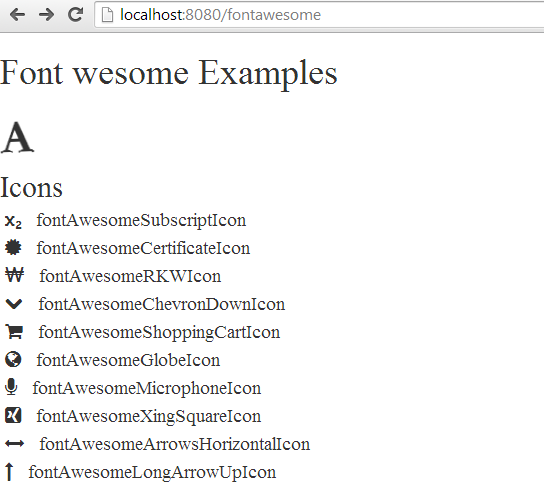
Now point your browser to http://localhost:8080/fontawesome
To add FontAwesome to your seaside application you just have to add the appropriate seaside file libraries containing the CSS and fonts to your Seaside application.
Depending on the scenario there is a FAWDeploymentLibrary and a FAWDevelopmentLibrary that you will find in the package FontAwesome-Core in the category 'FontAwesome-Core-Libraries'
Have a look at the #register method in the FAWExamplesHome class for an example.
If the FontAwesome library is registered with your Seaside application you can use the fontAwesome selectors in your usual rendering methods (like #renderContentOn:).
At a minimum you need to FontAwesome style to a surrounding div tag/bootstrap container by calling #fontAwesome:
renderContentOn: html
    html div
            fontAwesome;
            with: [ html span fontAwesomeFacebookIcon ]
The package comes with 422 tests in the package FontAwesome-Tests-Core. Just use the SUnit TestRunner to run them.